Global Trade Leader
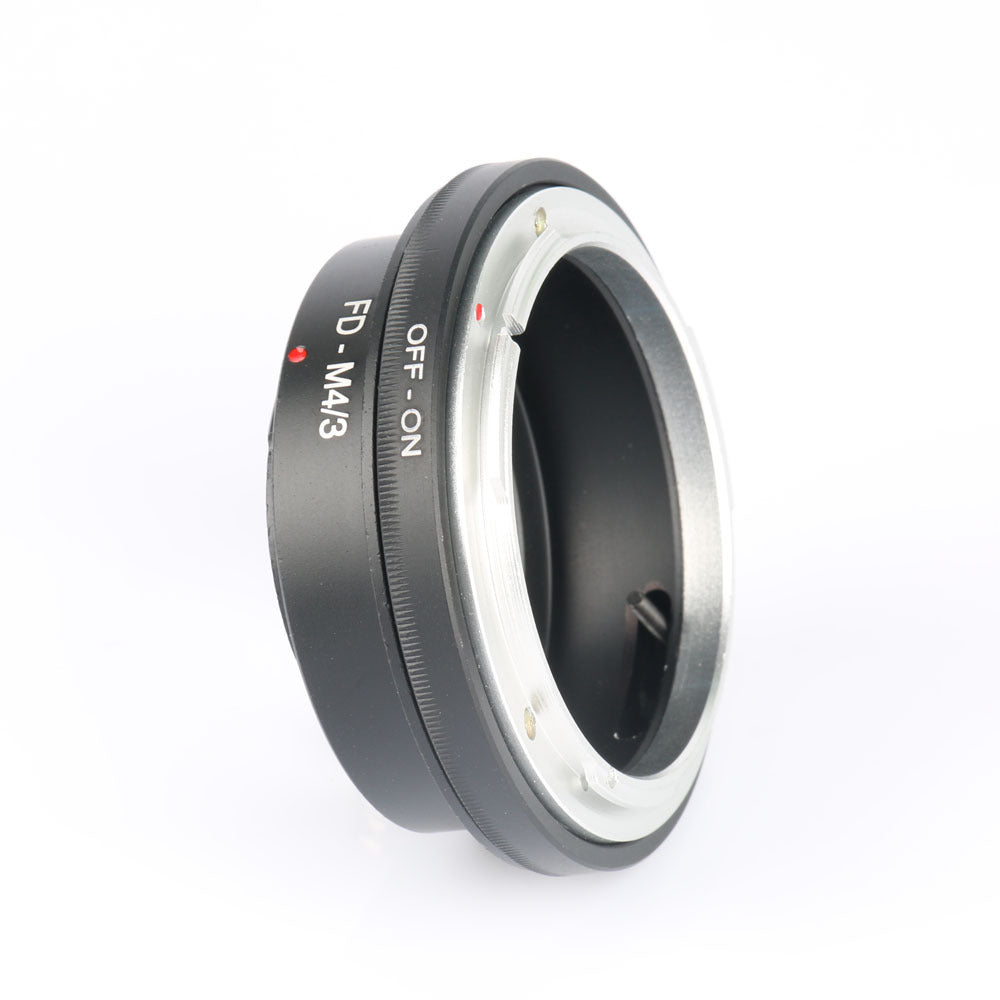
High precision FD-M4 / 3 manual FD adapter ring
High precision FD-M4 / 3 manual FD adapter ring
Couldn't load pickup availability
High precision FD-M4 / 3 manual FD adapter ring
Material: All metal, durable
Weight: 0.12kg
Applicable models: This adapter is used to transfer the FD / FL lens to Olympus, and is used on the Panasonic M4 / 3 mount body.
Function: Fully manual operation, manual focus, manual iris adjustment, manual exposure with the body, aperture exposure priority, infinity focus!
This ring has been tested to use Olympus OM-D, E-P1, E-P2, E-PL3, E-P3, E-PL5, E-PM2, / Panasonic G1, GF1, GH1, GH2, GH3 , G1, GF2, G2, GF3, GF5, GF6, GF7, GX1, G5X, and other adapters used on M4 / 3 bayonet bodies
M4 / 3 models use manual head tips:
1. Menu-Custom Settings-Settings in the last item-No lens shooting (select on)
2. When focusing on Panasonic micro single focus, press the azimuth key to bring up the focus frame, then press the four azimuth keys to move to the target position and press OK to zoom in 7x or 10x. Press the shutter button halfway to return to the original image. How much to zoom in is controlled by the front wheel.
3. Repeatedly press the INFO button on the Olympus micro-single, and then press the OK button. The tree dial will change between 7-10 times, and then press the OK button to return to the original image.


1)How to place my order?
1a. Place an order
- Click the product you would like to purchase at product page.
- Select variant.
1st payment option (PayPal)
- Click “Buy with PayPal”
- Follow the requirement step by PayPal.
2nd payment option ( Visa, Mastercard, Apple Pay, AMEX & PayPal)
- Click “More payment option”
- Fill up requirement information.
- Click “Continue To Shipping”
- Your contact information and shipping address will appear at shipping method page.
(Note : Confirm your contact information and shipping address before you select the shipping method.)
- Select your preferred shipping option.
- Click “Continue to payment”
- Fill up requirement information.
(Note : If you wish to pay by using PayPal payment option, please select the “PayPal” icon.)
- Select your Billing address.
- Click “Pay now”.
(Note : If you select pay by using PayPal payment option, you may follow PayPal instruction.)
1b. Check out item at your cart
- Click “Add to cart” icon to add your preferred item in your cart.
- Click on “Shopping bag” icon at the top right of the page.
- Click the “Check out” icon to place order. Fill up requirement information.
- Click “Continue To Shipping”
- Your contact information and shipping address will appear at shipping method page.
(Note : Confirm your contact information and shipping address before you select the shipping method.)
- Select your preferred shipping option.
- Click “Continue to payment”
- Fill up requirement information.
(Note : If you wish to pay by using PayPal payment option, please select the “PayPal” icon.)
- Select your Billing address.
- Click “Pay now”
(Note : If you select pay by using PayPal payment option, you may follow PayPal instruction.)
About Global Trade Leader
We are the worldwide trading warehouse with selling more than 100,000 product, to more than 200 of country, with running 6S concept : 1S (Sourcing), 2S (Sell), 3S (Ship), 4S (Save time), 5S (Save energy), 6S (Save money) to provide one stop services to our global customer.
Contact Us
Email :